Event types that fit how you actually meet: three setups
A consultant, a recruiter and a customer-success manager each need different rules for different meetings. Here are the exact event-type settings for all three.
30 October 2026 · 7 min read · The CalFlare team
One booking link with one set of rules is easy to set up and wrong for most people. The meetings you take are not alike. Some are short and with strangers. Some are long and with people you know. Some should be rare.
In CalFlare an event type is one kind of meeting with its own link, length, place, questions and limits. You can have up to 30. Most people need three or four. Below are three setups you can copy, with every value filled in.
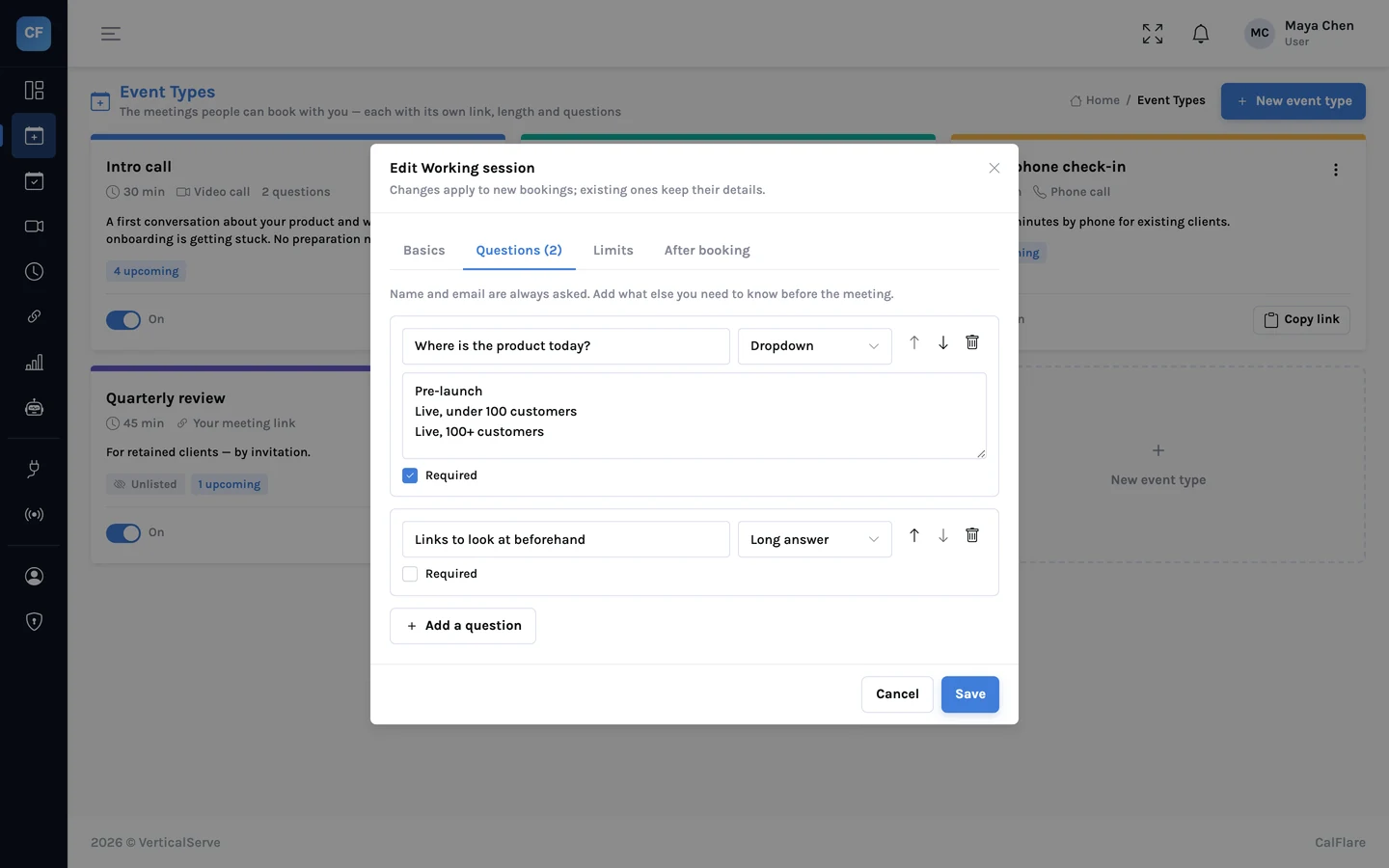
app.calflare.com
The editor. Every setting in the tables below is on this screen.
Setup 1: a consultant
Maya is an independent product consultant. Strangers book intro calls. Clients book working sessions. Now and then a client has something urgent and wants ten minutes on the phone.
Setup 2: a recruiter
Dev hires engineers. Every applicant who passes the first filter gets a screening call. A few reach the final round, which is longer and should not be bookable by anyone who finds the page.
Hidden is not secret
A hidden event type is left off your page, but anyone who has its link can book it. Share it with the people you mean to, and turn the event type off when a hiring round ends.
Setup 3: a customer-success manager
Priya looks after customers after they sign. New ones need an onboarding session. Existing ones need a regular check-in.
Patterns worth copying
Strangers get stricter rules. More notice, a lower daily limit, a shorter window.
Long meetings get buffers. A 60-minute session with nothing either side is rarely 60 minutes of attention.
Hidden types are for a stage, not a person. Final rounds, onboarding, paid sessions.