
Availability
Open when you say so, and only then
Your booking link is public, so the rules behind it matter. Set the hours you take meetings, the exceptions, and the limits that protect the rest of your day.
Weekly hours
Several ranges a day
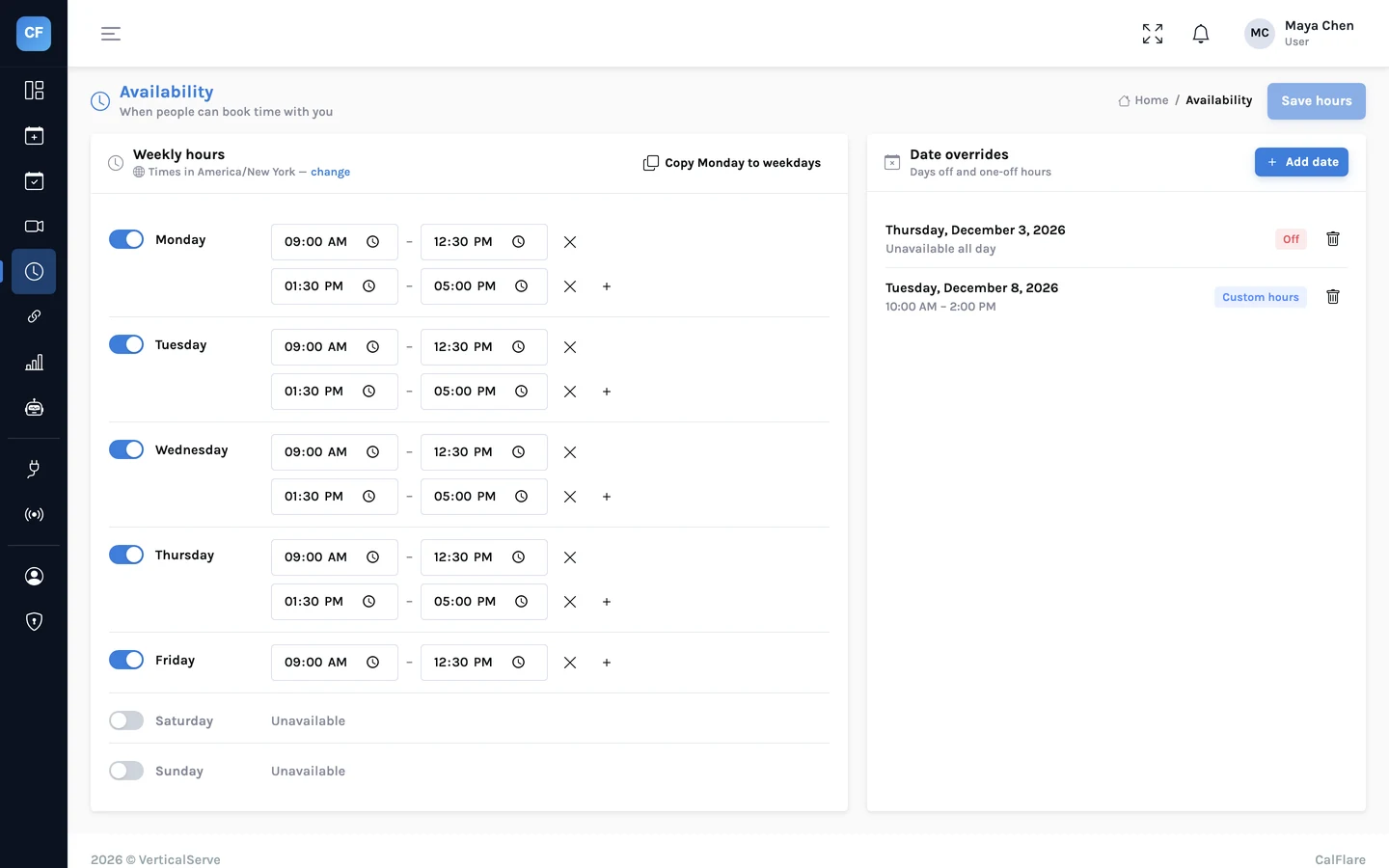
Most days are not one block. Set 9:00 to 12:00 and 13:30 to 17:00 on a Tuesday, mornings only on a Friday, nothing at the weekend.
- More than one time range per day
- Different hours on different weekdays
- Days with no hours are simply closed
Date overrides
One date, different rules
A public holiday, a conference, a half day. Mark a date as off, or give it its own hours, without touching the weekly pattern.
- Take a whole day off
- Set different hours for one date
- The weekly hours return the next day
Time zones
Your zone for setting, their zone for choosing
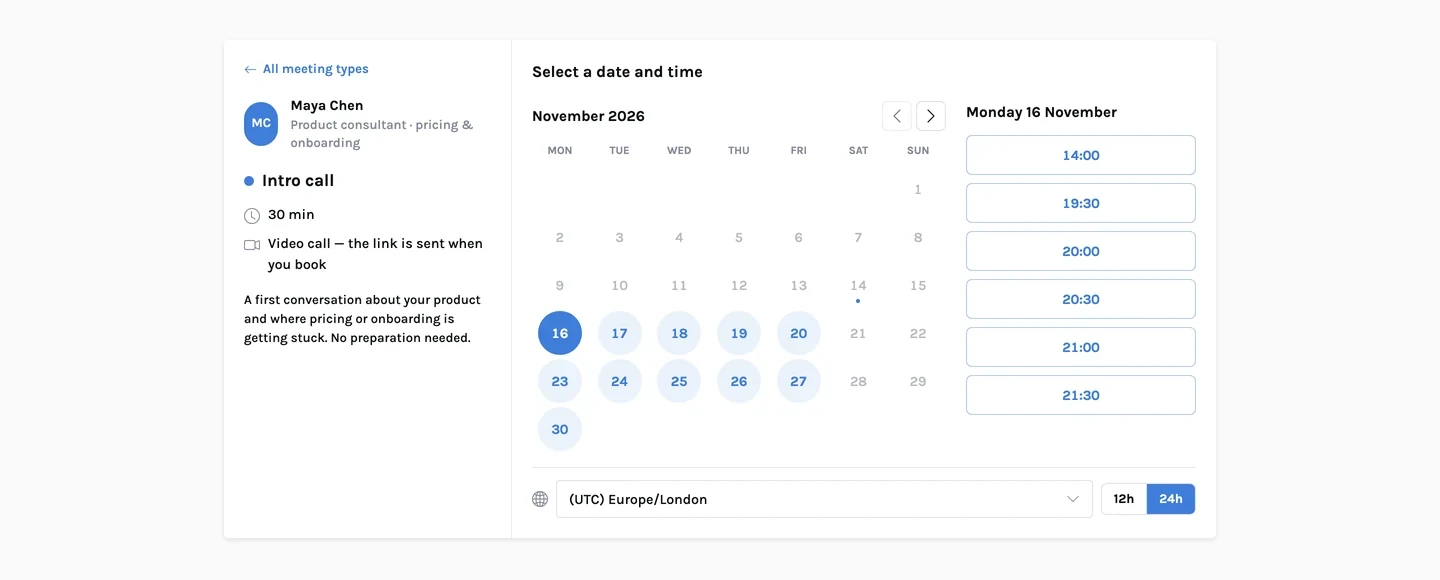
You set hours in your own time zone. Each invitee sees the open times converted to theirs, and can switch zone or between 12 and 24 hour time.
- The invitee's zone is detected and can be changed
- Daylight saving changes are applied for both sides
- Emails show the time in each reader's own zone
The details
The rules that shape your open times
- Weekly hours
- Per weekday, with several ranges per day.
- Date overrides
- A day off, or different hours on one date.
- Connected calendars
- Busy time from all connected Google and Microsoft calendars is removed from open slots.
- Minimum notice
- No bookings sooner than the notice you set.
- Buffers
- Free time before and after meetings.
- Daily limit
- A cap on bookings per day.
- Booking window
- How far into the future people can book.
- Time zones
- Hosts set hours in their zone; invitees see their own; daylight saving handled.
Weekly hoursOr the override for that date
Minus busy timeEvents on every connected calendar
Minus buffers and noticeAnd the booking window
Up to the daily limitThen the day closes
Open timesConverted to the invitee's zone
Share one link. Let people pick a time.
Connect a calendar, set your hours, and send your booking link. CalFlare is free to get started.