
One link. They pick a time. Nobody creates an account.
Your booking page is what other people see of CalFlare. It should load, make sense in ten seconds, and never offer a time you cannot make.
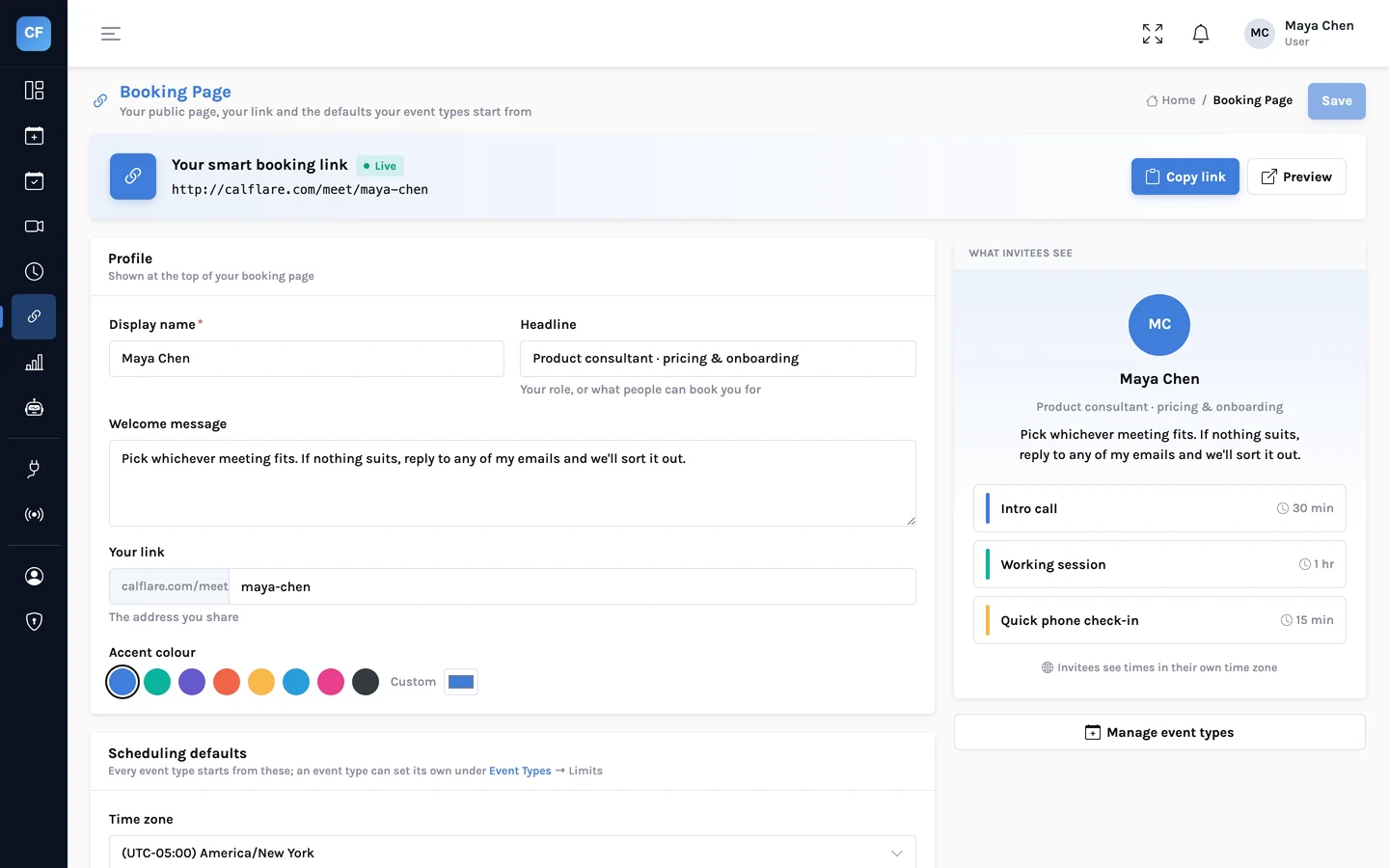
Your name, your words, your colour
Choose the link name, and set the name, headline and welcome message people see. Pick an accent colour so the page sits comfortably next to your own site.
- One link per host, with a link name you choose
- Profile: name, headline, welcome message
- Accent colour
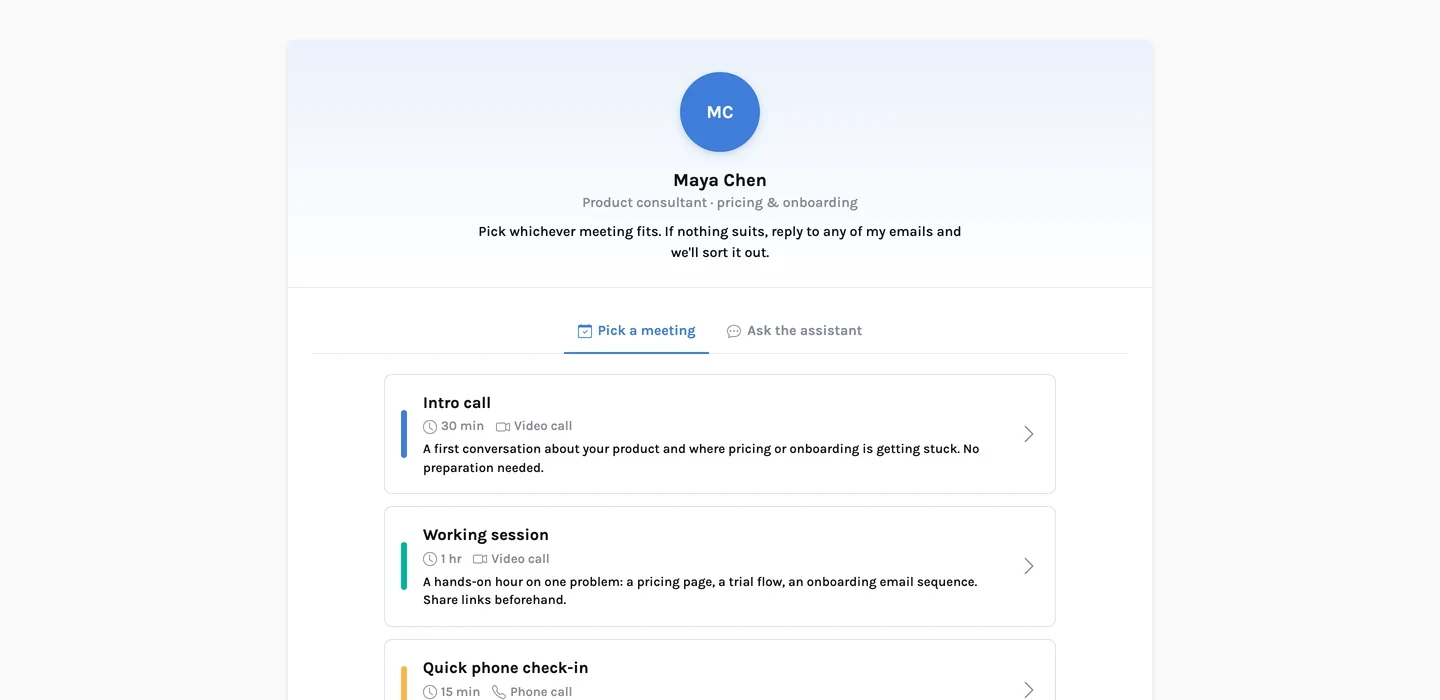
Choose the kind of meeting
The page lists your event types with their length and description. A direct link to one event type skips this step.
- app.calflare.com/meet/your-name for the whole page
- app.calflare.com/meet/your-name/intro-call for one event type
- Hidden event types never appear in the list
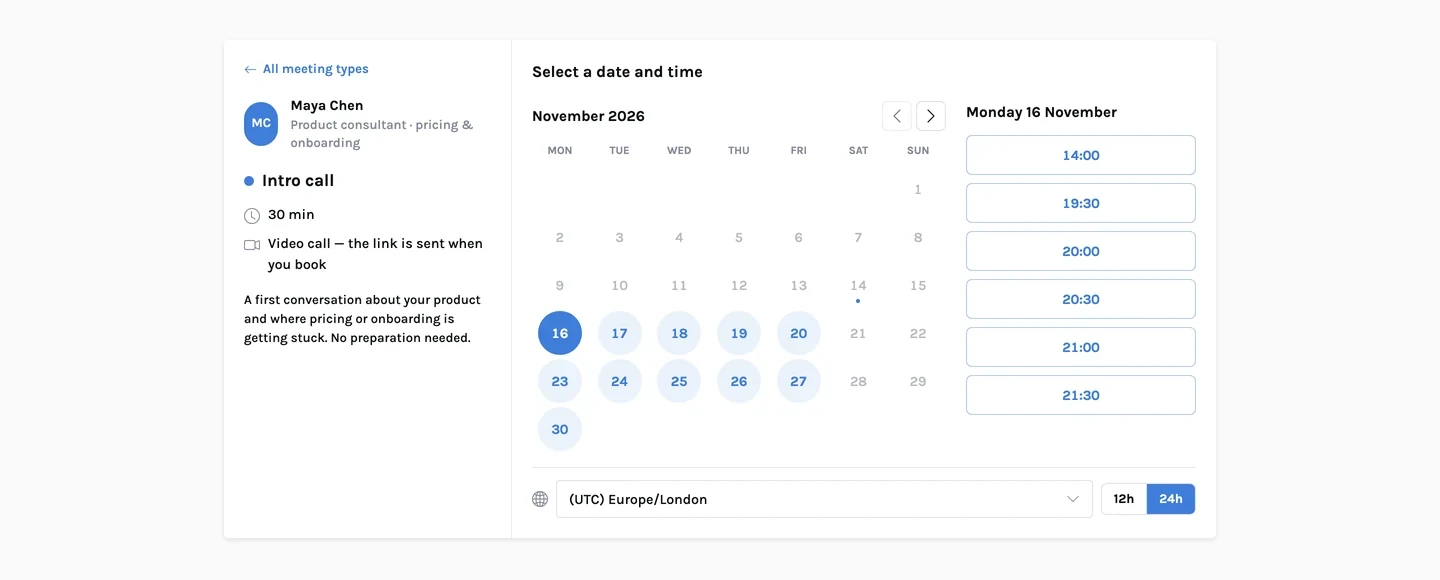
Pick a day and a time
A month calendar shows which days have open times. The times are listed in the invitee's own time zone. They can switch zone, and choose 12 or 24 hour time.
- Month calendar with available days
- Times in the invitee's time zone
- 12 or 24 hour display
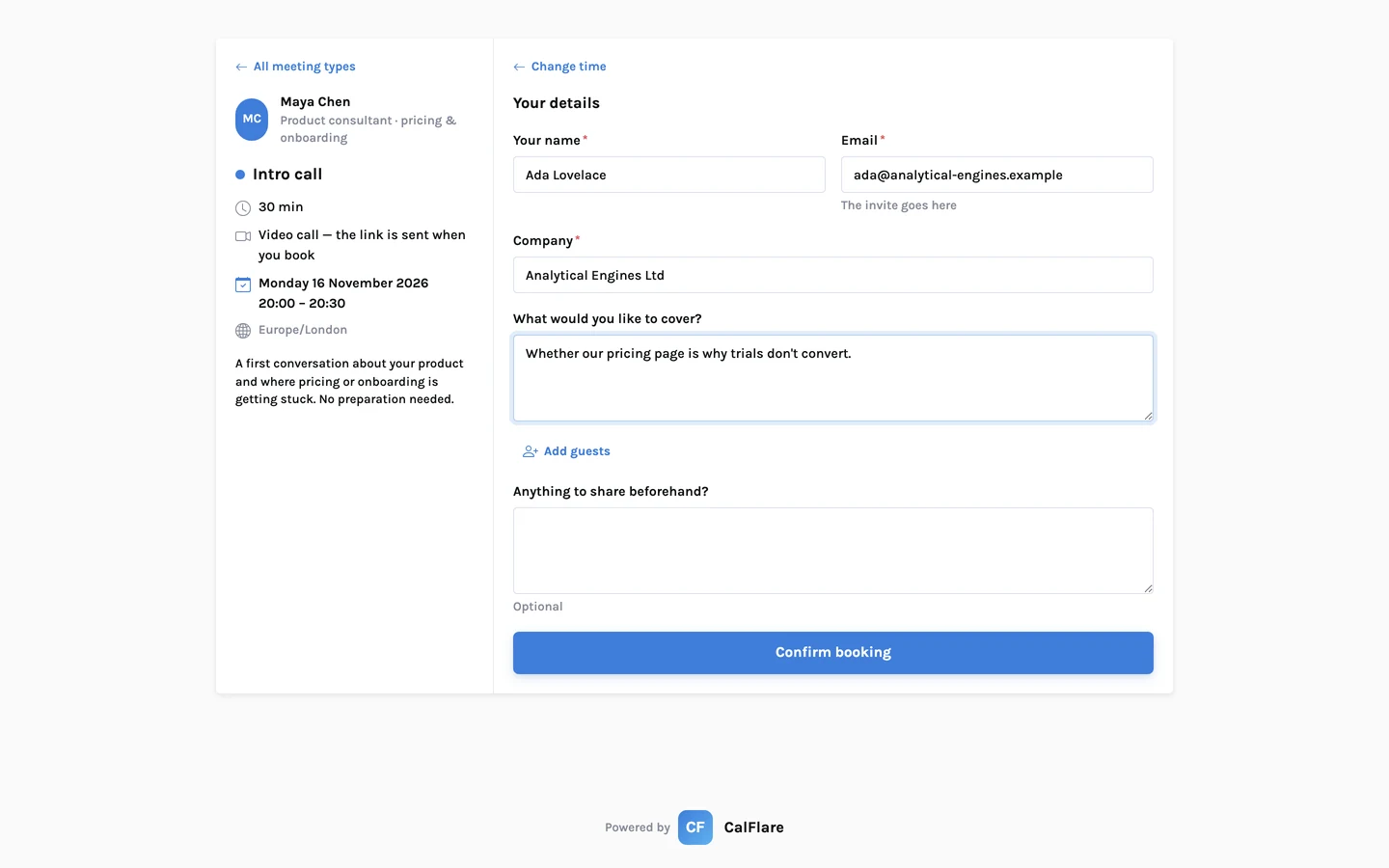
A short form, then done
Name and email are all that is required by default. Invitees can add up to 5 guests and a note, and answer the questions you set for that event type.
- No account and no password
- Optional guests (up to 5) and notes
- Your intake questions, required or optional
Both calendars, both inboxes
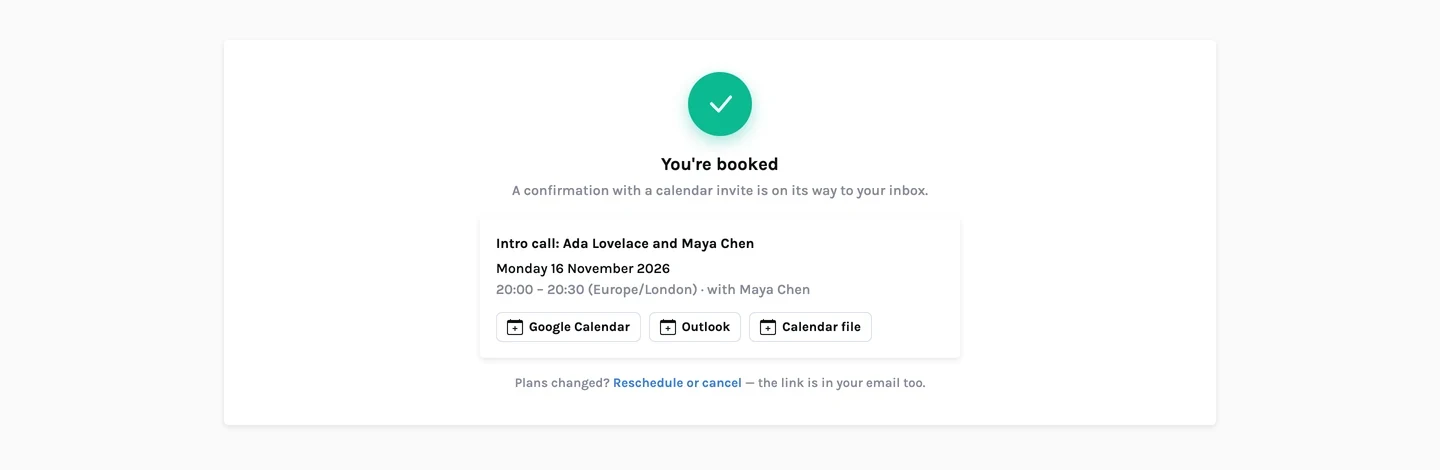
The confirmation page shows the time, the place and links to add it to a calendar. The event is written to your primary calendar with the invitee and guests invited.
- "Add to Google Calendar" and "Outlook" links
- Confirmation emails with a calendar file
- A private manage link to reschedule or cancel
What the booking page does
- Address
- app.calflare.com/meet/{your-link-name}, and /{event-type} for one event type.
- Invitee account
- None. Name and email are enough.
- Time display
- The invitee's time zone, switchable; 12 or 24 hour.
- Guests
- Up to 5 extra email addresses, invited to the calendar event.
- Double-booking
- Prevented on the server: the slot is re-checked against your calendar when the invitee confirms, and confirmations arriving at once are handled one at a time.
- Bot protection
- Confirmations pass a Cloudflare Turnstile check; bookings and slot lookups are rate-limited.
- Prefill
- Add ?name= and &email= to the link to fill in the form for someone you already know.
- Chat option
- Invitees can optionally find a time by chatting with the assistant instead of using the calendar.
Share one link. Let people pick a time.
Connect a calendar, set your hours, and send your booking link. CalFlare is free to get started.