
Everything CalFlare does today
Each feature on this page exists in the product now. The host in the screenshots, Maya Chen, is fictional. What is not built yet is listed at the bottom.
A link for each kind of meeting
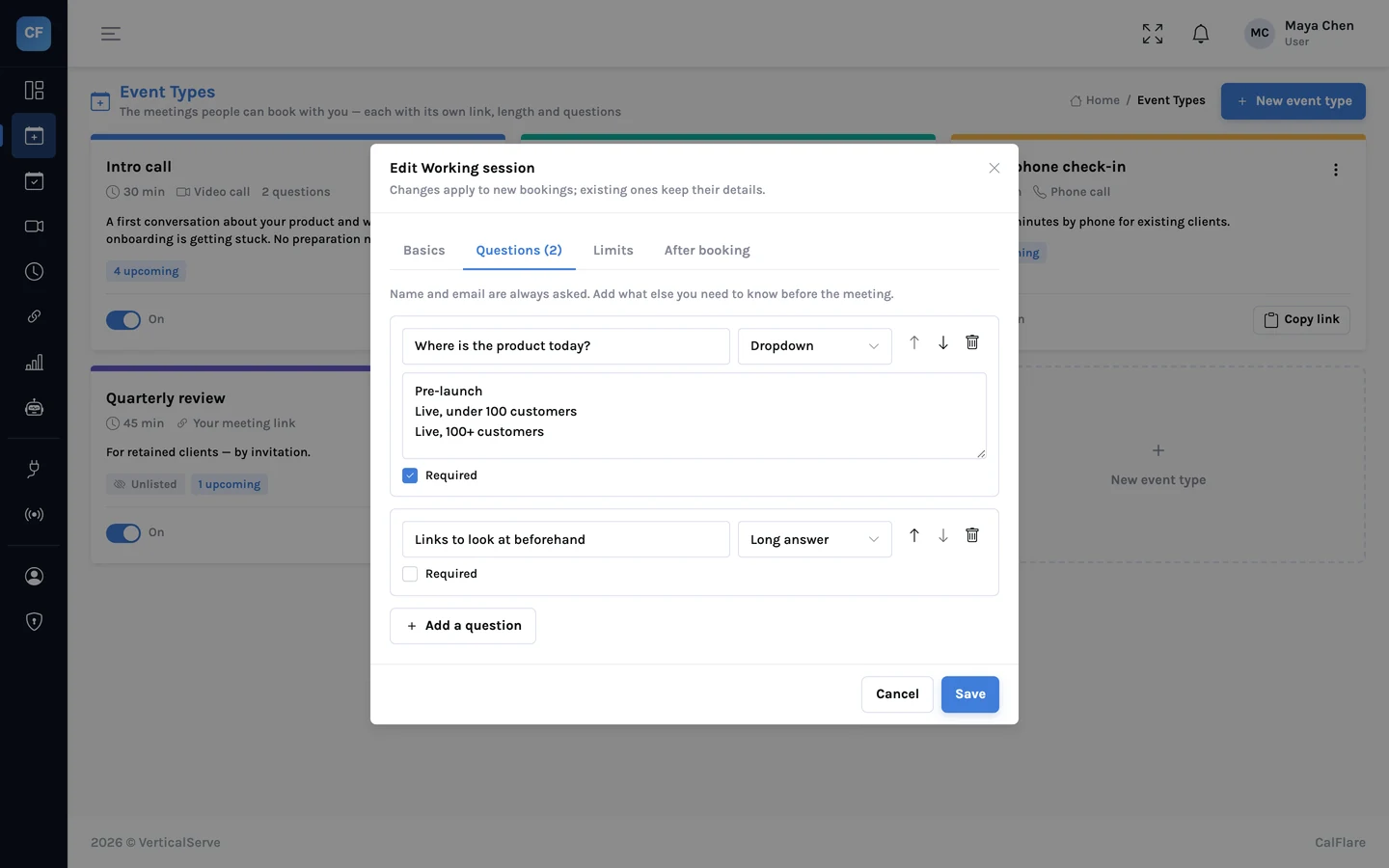
Create up to 30 event types. Each has its own link, name, description, colour and length, its own place to meet, its own questions and its own limits.
- 5 minutes to 8 hours
- Video, phone, in person or your own meeting link
- Hidden types for people with the direct link only
Hours, overrides and time zones
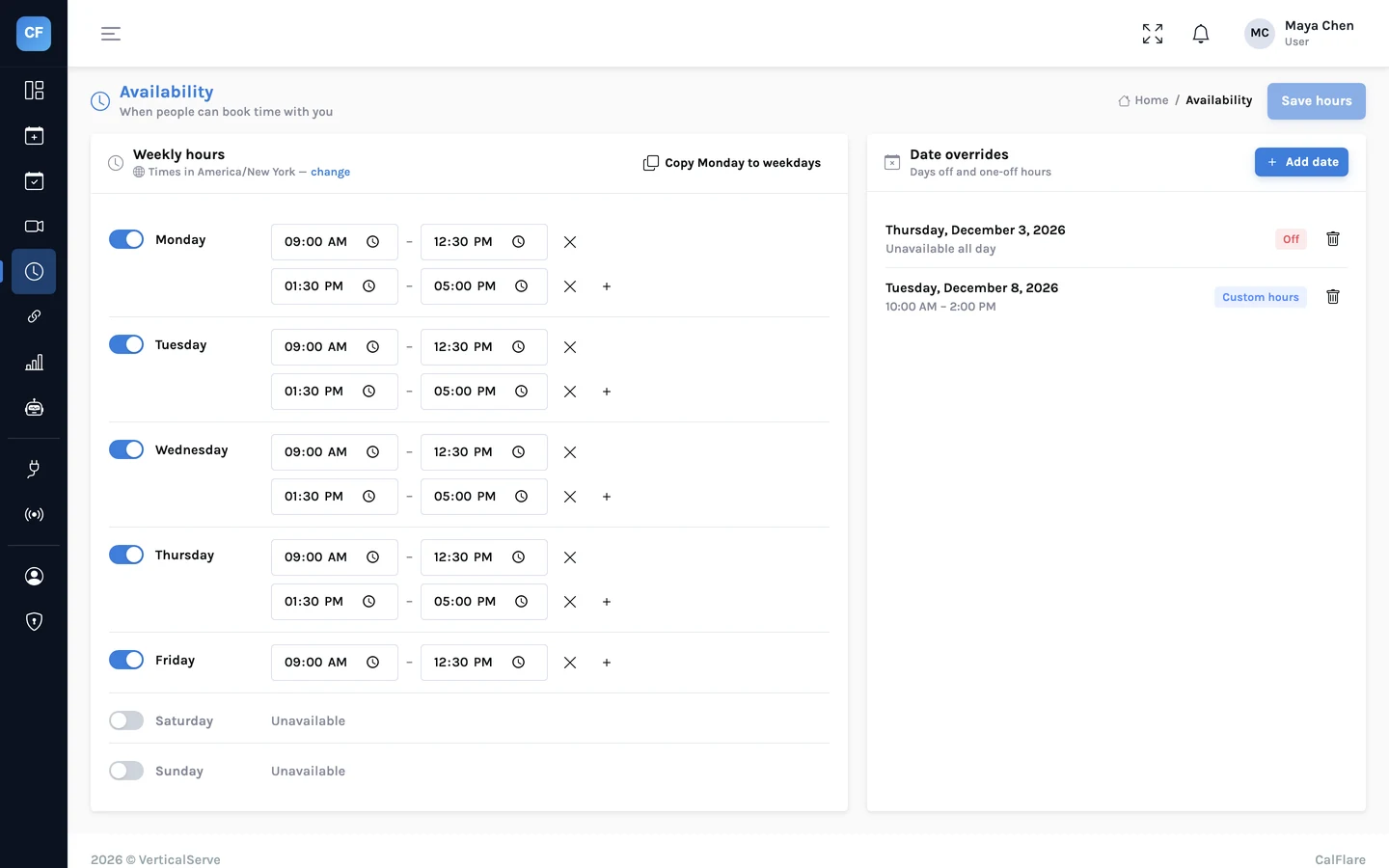
Weekly hours with several ranges a day, date overrides for a day off or different hours, and limits that keep a public link from filling your week.
- Minimum notice, buffers, daily limit, booking window
- You set hours in your zone; invitees see theirs
- Daylight saving handled
One link, no account for the invitee
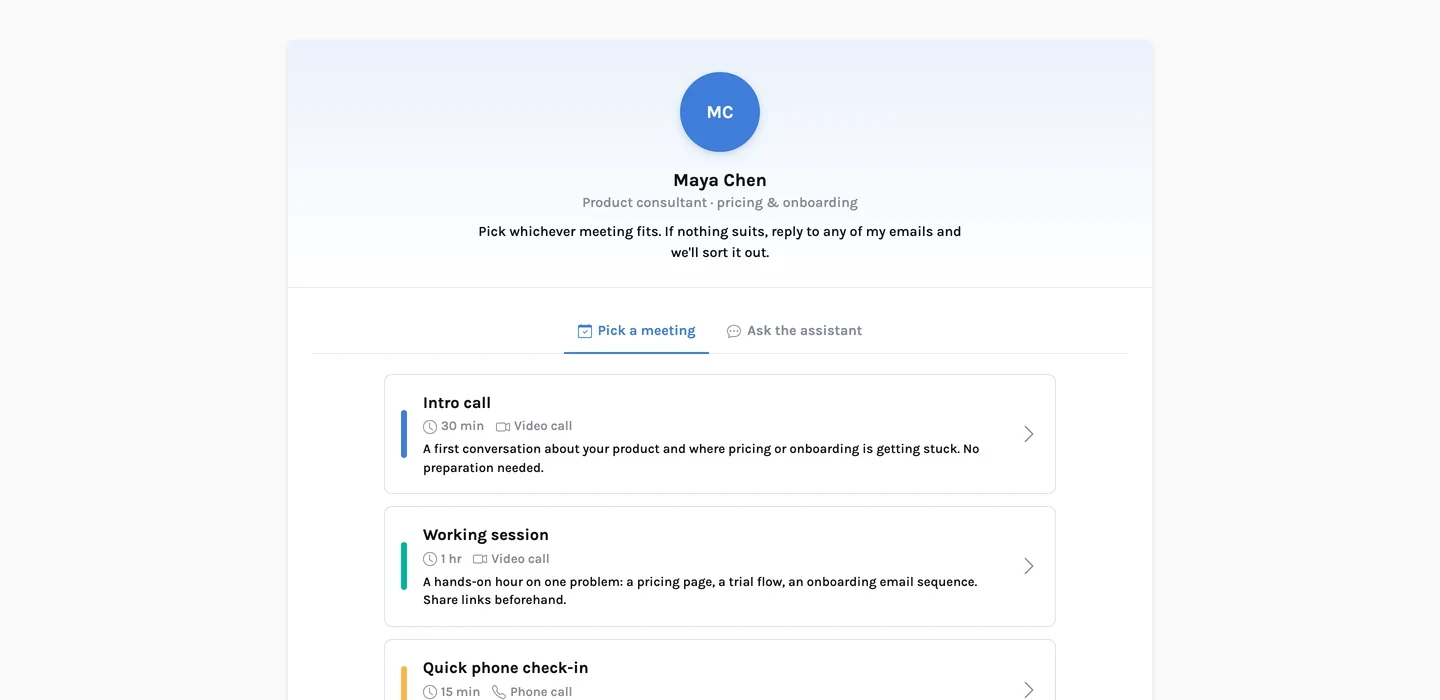
Your page shows your name, headline and welcome message in your accent colour. The invitee picks an event type, a day and a time, and fills in a short form.
- Times in the invitee's zone, 12 or 24 hour
- Up to 5 guests, notes and your own questions
- Double-booking prevented on the server
What happens after someone books
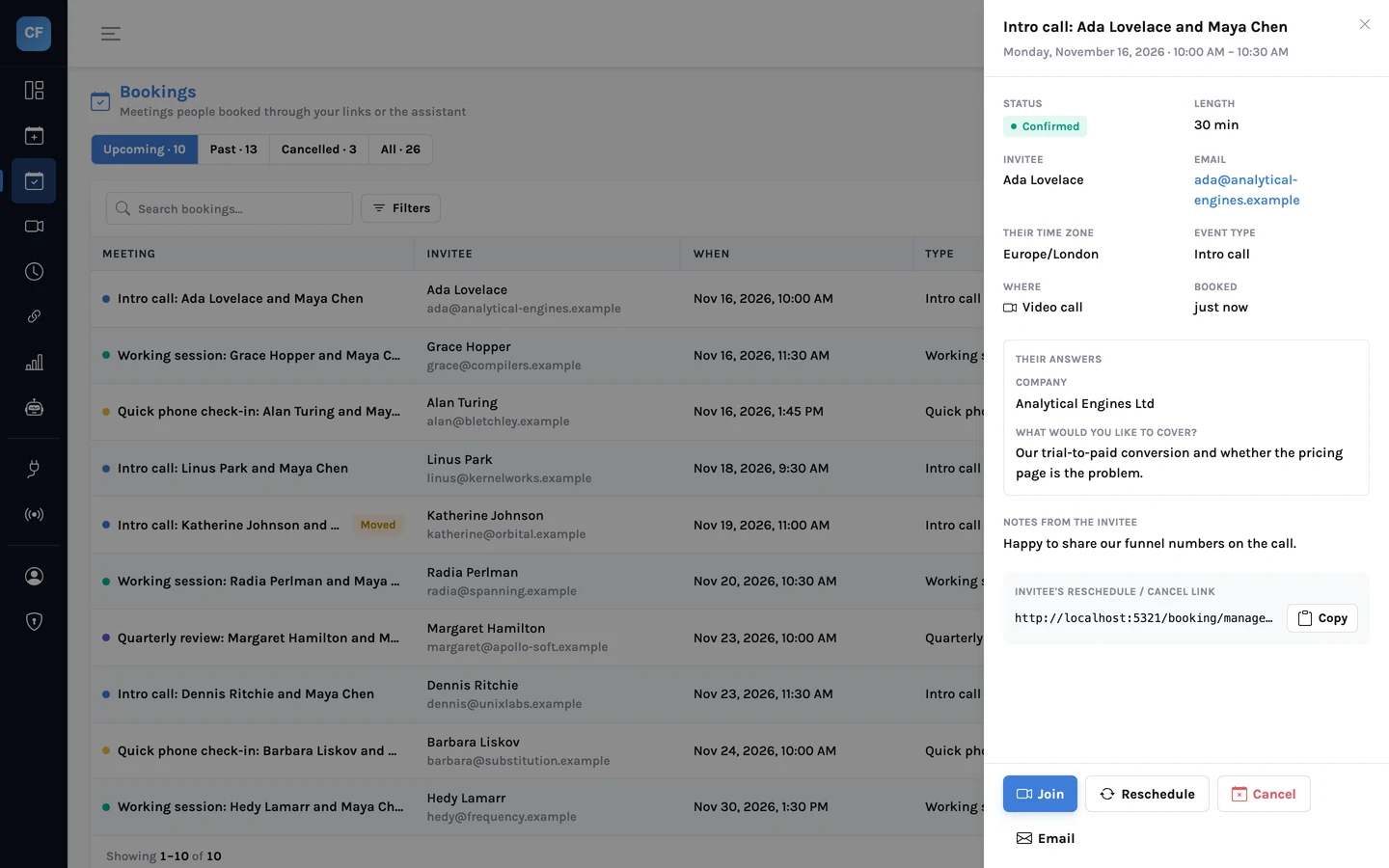
Both sides get a confirmation email in their own time zone with a calendar file attached. The invitee gets a private link to reschedule or cancel. Reminders go out before the meeting.
- Reschedule or cancel without an account
- Reminders about 24 hours and 1 hour before
- Cancel with a reason, reschedule or mark a no-show from the console
Plain language, real availability
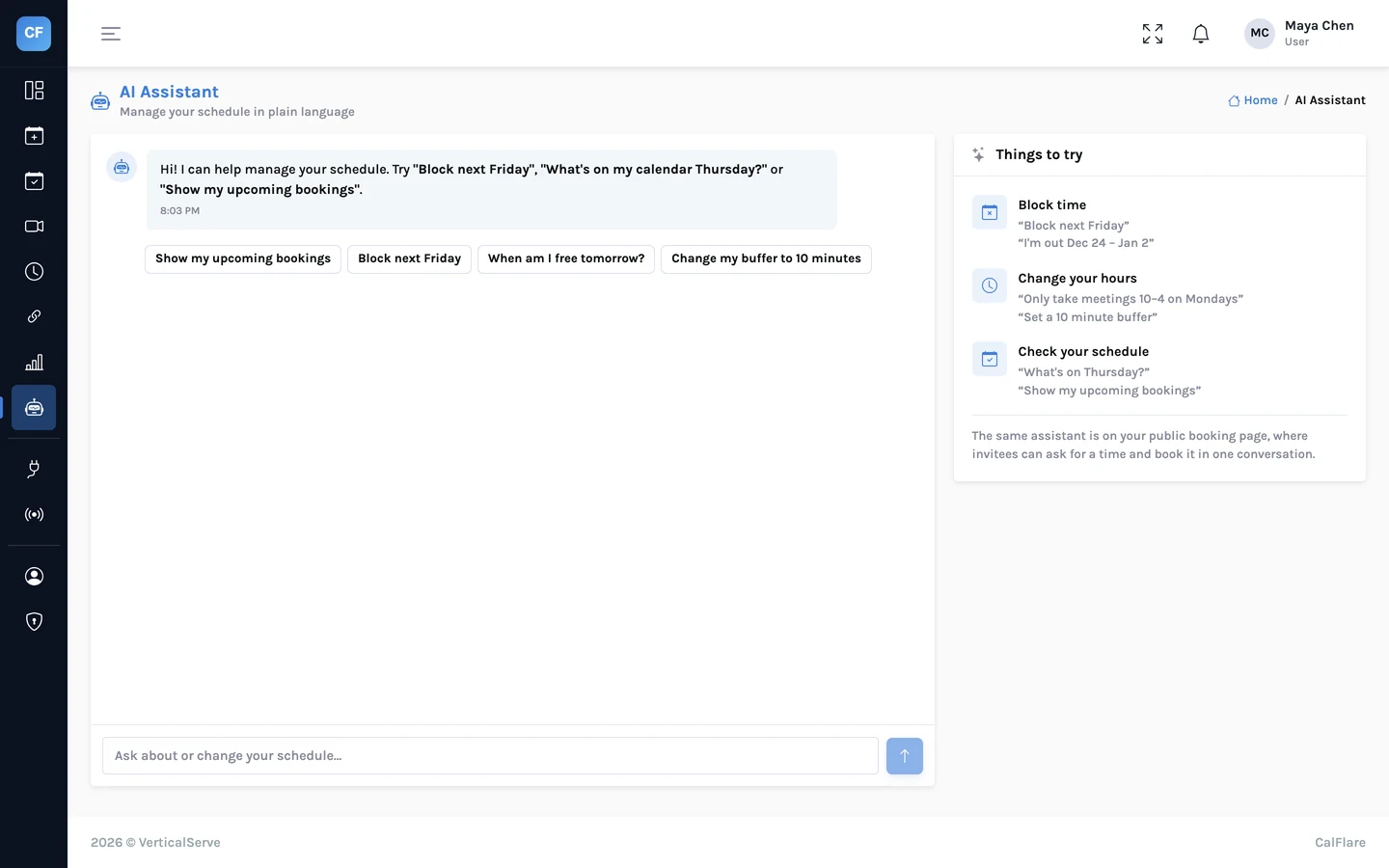
Hosts manage their schedule by typing what they want. Invitees can chat on the booking page to find and book a time. The assistant can only offer times that are open.
- "Block Friday afternoon", "what's on next week"
- Optional chat on the booking page
- Daily usage caps
Connected to the tools around it
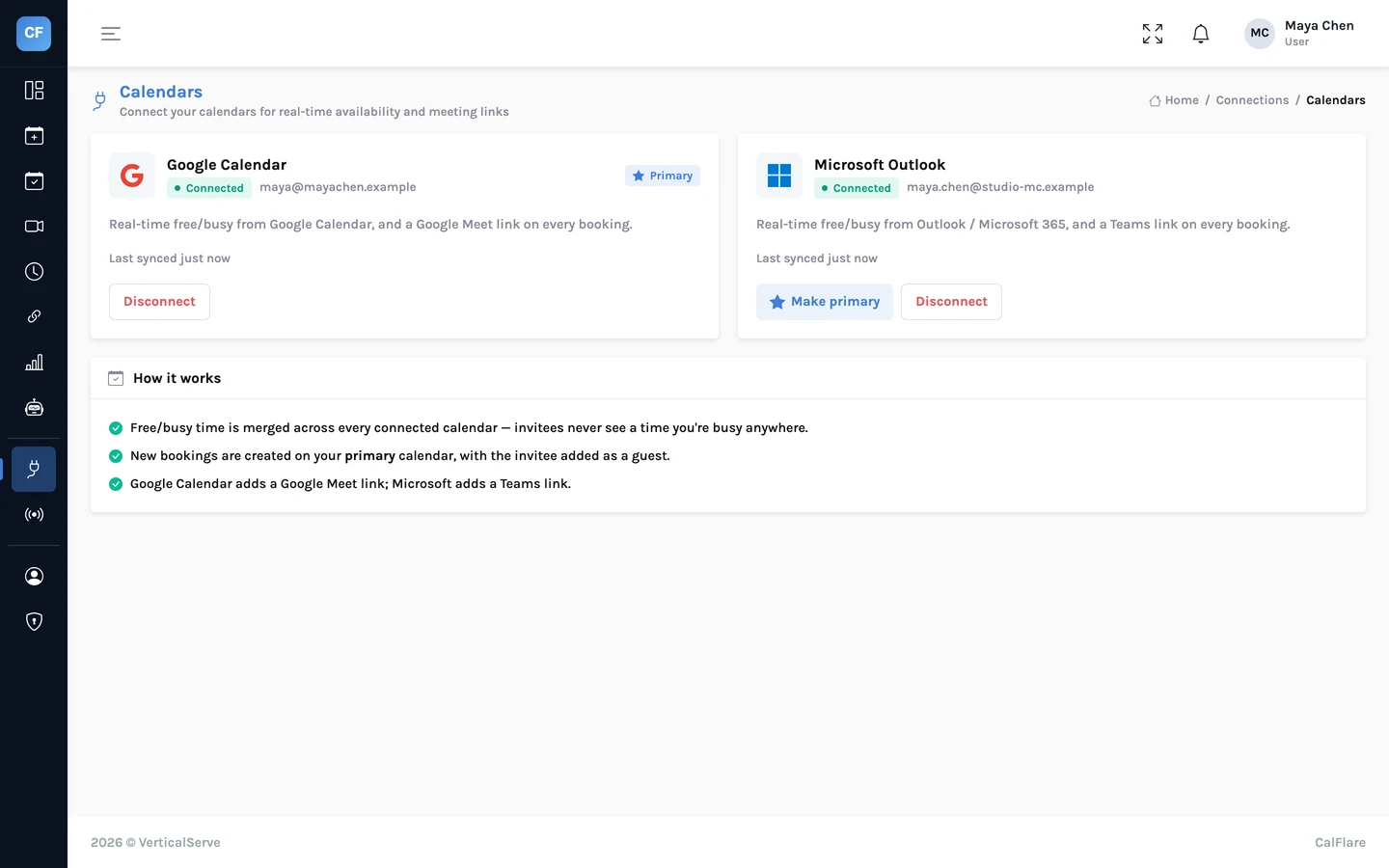
Connect Google Calendar and Microsoft 365. Put the booking page on your website. Send booking events to your own systems with signed webhooks.
- Busy time from all connected calendars
- Inline embed or a popup button
- booking.created, booking.rescheduled, booking.cancelled
See how your time is booked
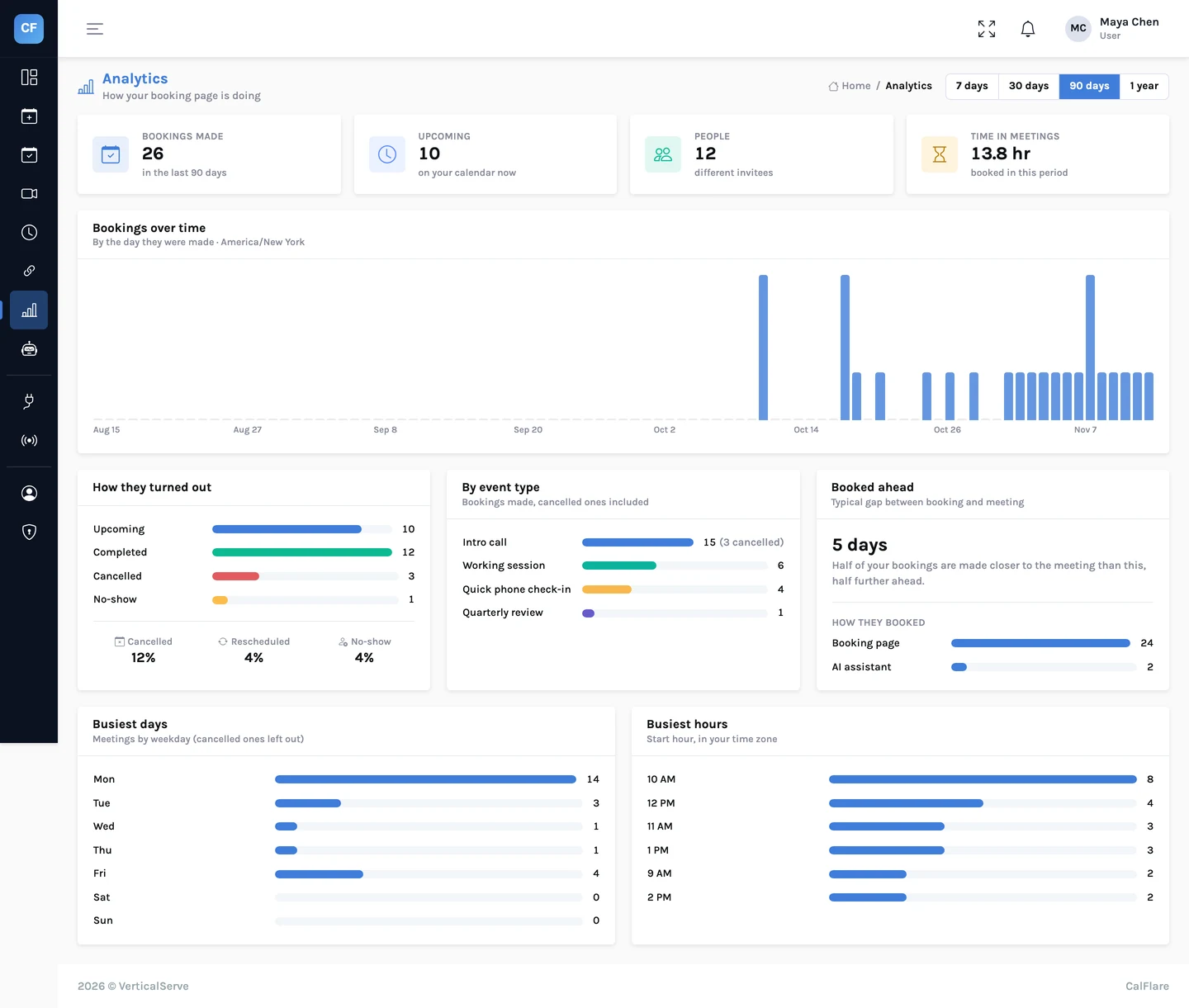
Bookings over time, outcomes and rates, your busiest weekdays and hours, a breakdown by event type, and a CSV export.
- Upcoming, completed, cancelled and no-show
- Median lead time and hours in meetings
- Export bookings to CSV
What CalFlare does not do yet
We would rather list these than let you find out after signing up. None of them exists today.
Team scheduling
Round-robin and collective events across several hosts. Today each booking page belongs to one host.
Paid bookings
Taking a payment through Stripe or PayPal when someone books.
Routing forms and meeting polls
Sending an invitee to the right person from a form, or voting on a time for a group.
More native integrations
Zoom and Webex apps, Salesforce and HubSpot, a Zapier app. Today: a custom meeting link per event type, and webhooks.
SMS and mobile apps
Text-message reminders and native iOS and Android apps. Reminders are by email, and there are no native apps.
SSO and recurring bookings
SAML single sign-on, and booking a repeating series in one go.
The comparison page puts these gaps next to what typical scheduling tools offer.
Share one link. Let people pick a time.
Connect a calendar, set your hours, and send your booking link. CalFlare is free to get started.