
Plans change. Nobody should have to write an email about it.
Booking the meeting is half the job. The other half is what happens when someone needs to move it, cancel it, or simply remember it.
Two emails, each in the reader's own time
When a booking is made, the invitee and the host each get a confirmation email. Each shows the time in that reader's time zone and attaches a calendar file.
- An .ics calendar file on the email
- "Add to Google Calendar" and "Outlook" links
- Your custom confirmation message, if you set one
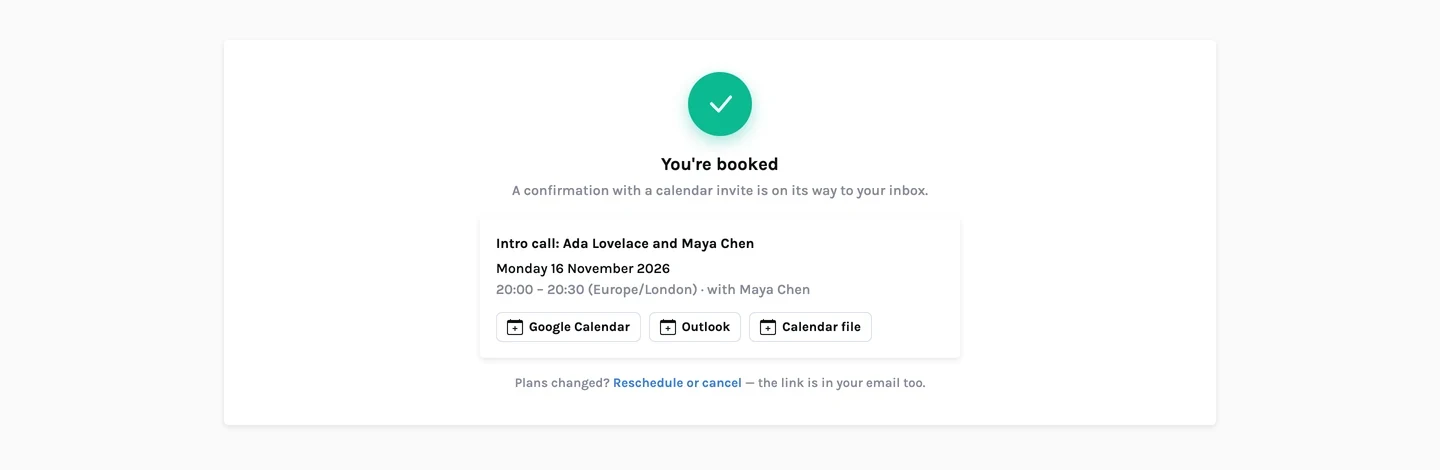
Reschedule or cancel without an account
The invitee's email contains a private manage link. It opens the booking, where they can pick another open time or cancel. The link stays the same after a reschedule.
- A different link for every booking, made of 64 random characters
- Only open times are offered when rescheduling
- Both sides are emailed about the change, with an updated calendar file
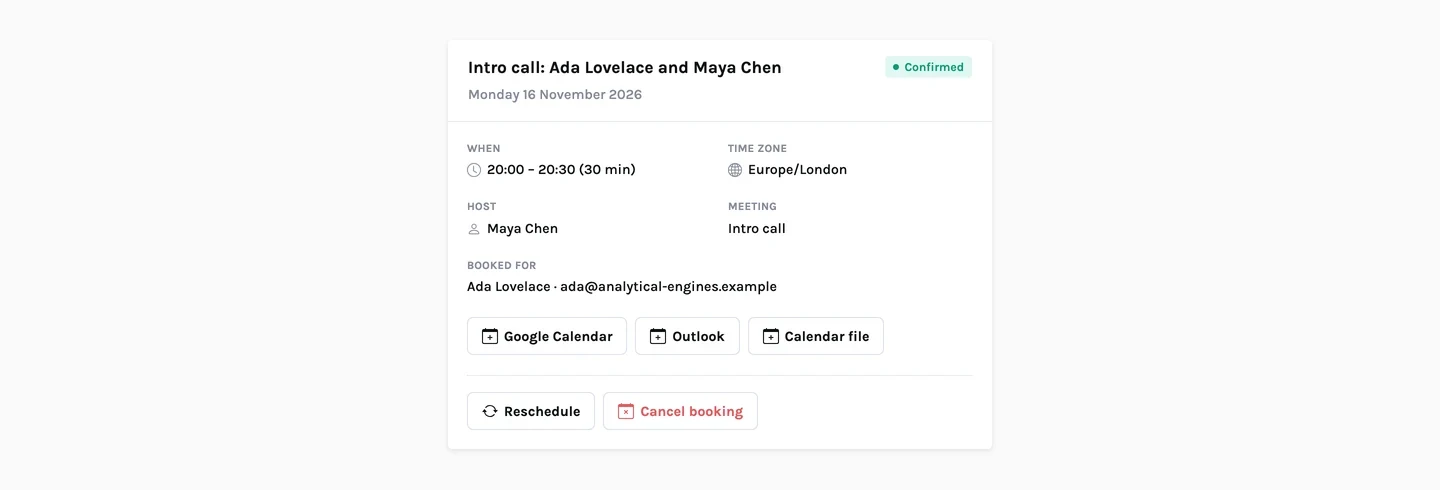
Cancel, move, or mark a no-show
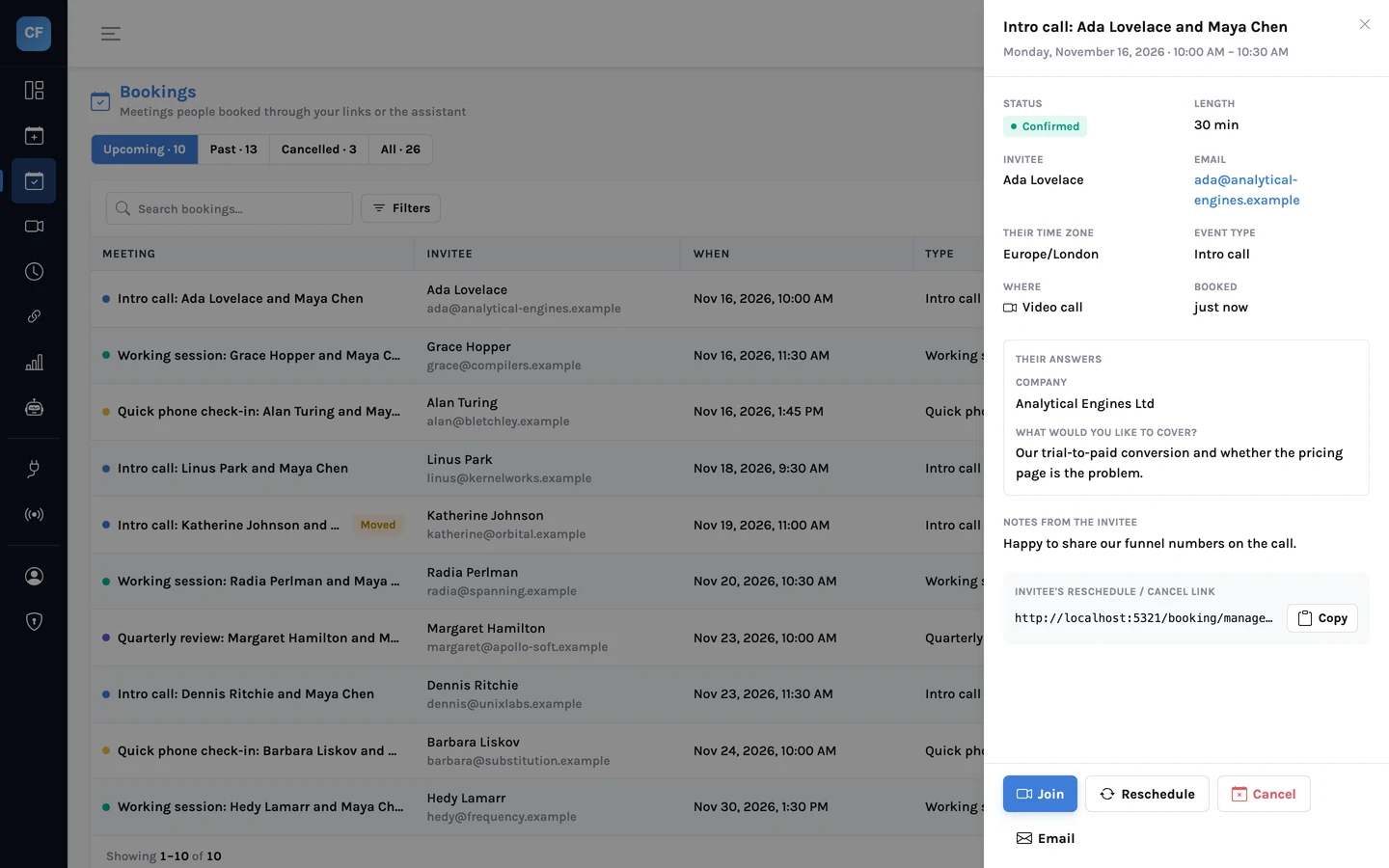
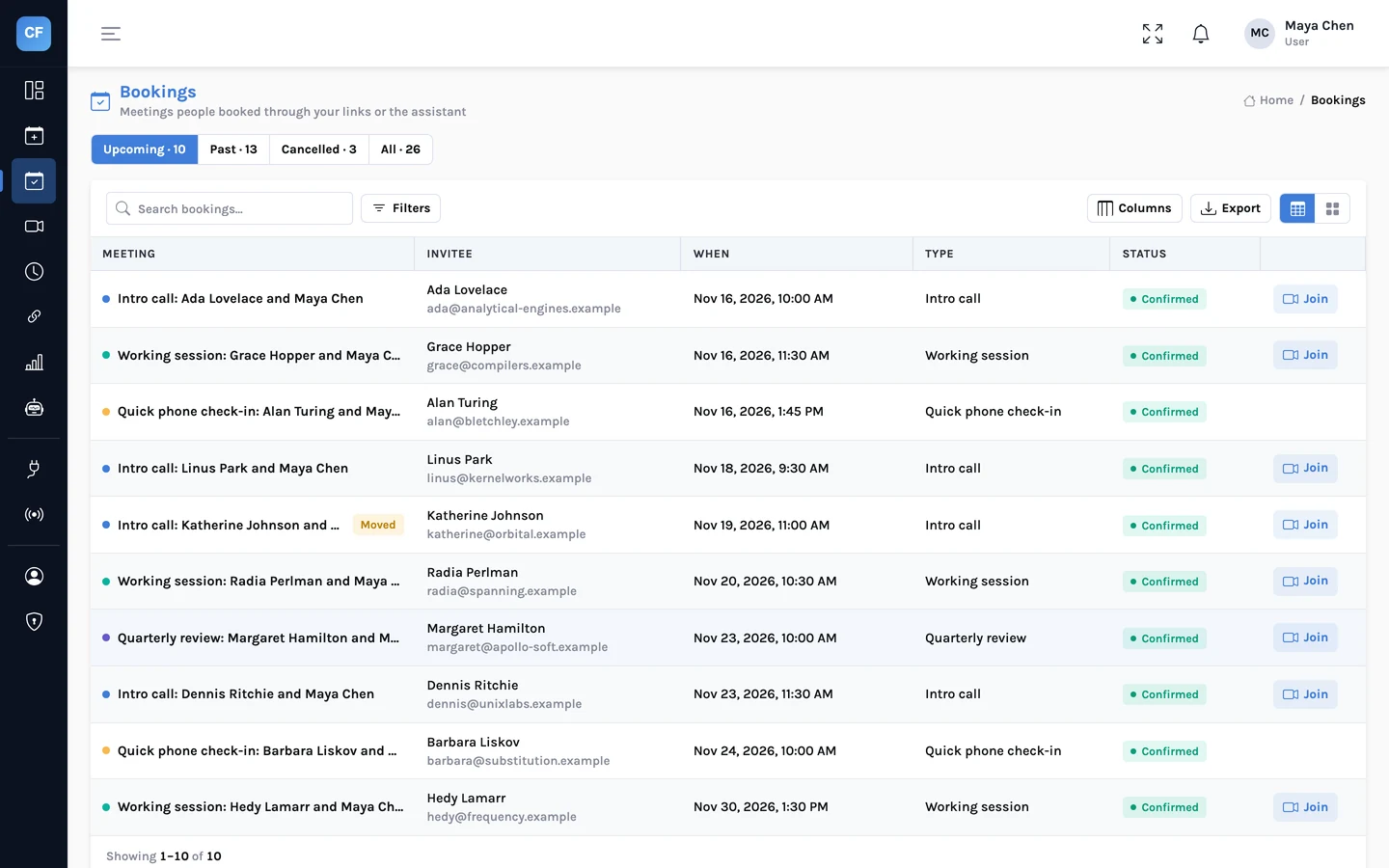
In the console, open any booking to see the answers and notes. Cancel it with a reason the invitee will read, move it to another time, or record that the invitee did not turn up.
- Cancel with a reason
- Reschedule on the invitee's behalf
- Mark a no-show, which feeds your analytics
About a day before, and about an hour before
Reminder emails go to the invitee and the host about 24 hours and about 1 hour before the meeting. If you would rather not send them, switch them off in the booking page settings.
- Two reminders per meeting
- A meeting booked at short notice skips the reminder it has already passed
- One switch to turn reminders off
After a booking is made
- Confirmation emails
- To invitee and host, with the time in each reader's own time zone and an .ics file attached.
- Calendar links
- "Add to Google Calendar" and "Outlook" links for the invitee.
- Manage link
- Private, 64 random characters, one per booking. Reschedule or cancel with no account.
- Rescheduling
- The new time passes the same availability checks as a new booking. The calendar event is replaced and both sides are emailed.
- Cancelling
- By the invitee from the manage link, or by the host with a reason. The calendar event is removed and both sides are emailed.
- No-show
- Marked by the host from the console.
- Reminders
- About 24 hours and about 1 hour before, by email. The host can switch them off.
- Webhooks
- booking.rescheduled and booking.cancelled events for your own systems.
Share one link. Let people pick a time.
Connect a calendar, set your hours, and send your booking link. CalFlare is free to get started.