
Share a link. Get a meeting on the calendar.
CalFlare reads your Google or Microsoft calendar, shows people the times you are really free, and books the one they pick. No account for them, no email ping-pong for you.
- Free to get started
- Google Calendar and Microsoft 365
- Invitees book without an account
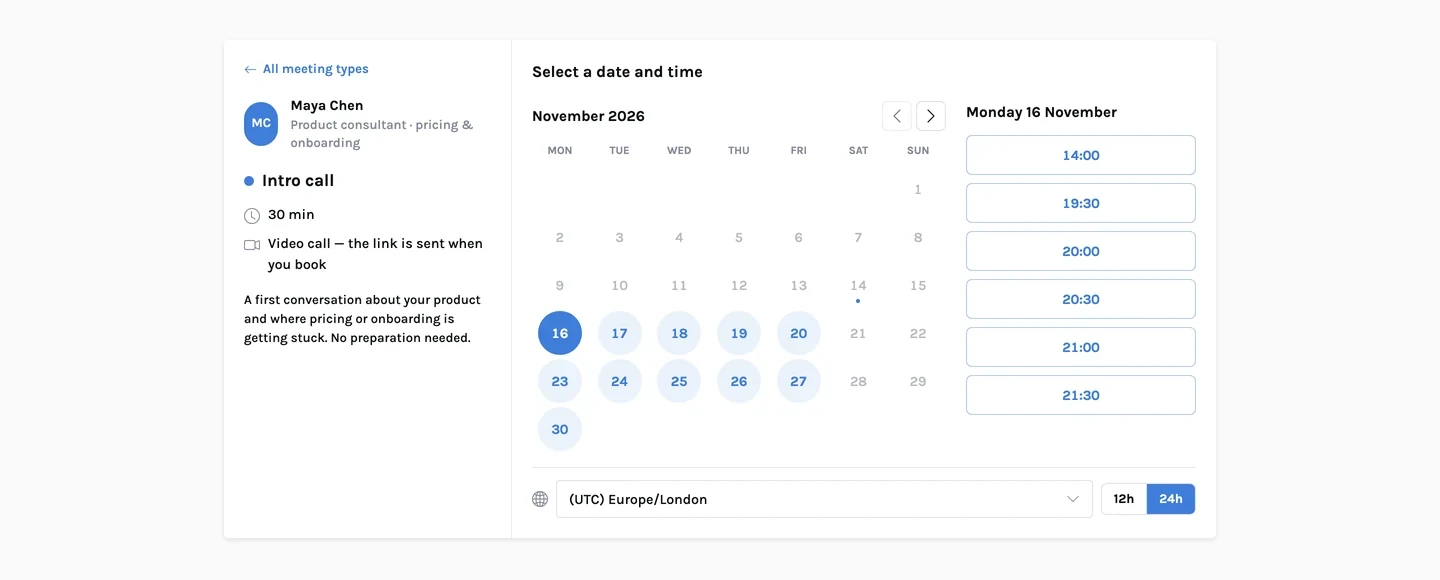
Three steps, and you do the first two once
Your calendar stays the source of truth. CalFlare only offers time that is open on it, inside the hours you choose.
Connect your calendar
Sign in to Google Calendar or Microsoft 365. Busy time on every calendar you connect is taken out of your open slots.
Set hours and event types
Choose your weekly hours, then create a link for each kind of meeting: a 15-minute intro, a 60-minute working session, a phone call.
Share your link
Invitees pick a day and a time in their own time zone. Both of you get a confirmation email with a calendar file, and the event appears on your calendar.
Everything between "let's find a time" and the meeting itself
Event types
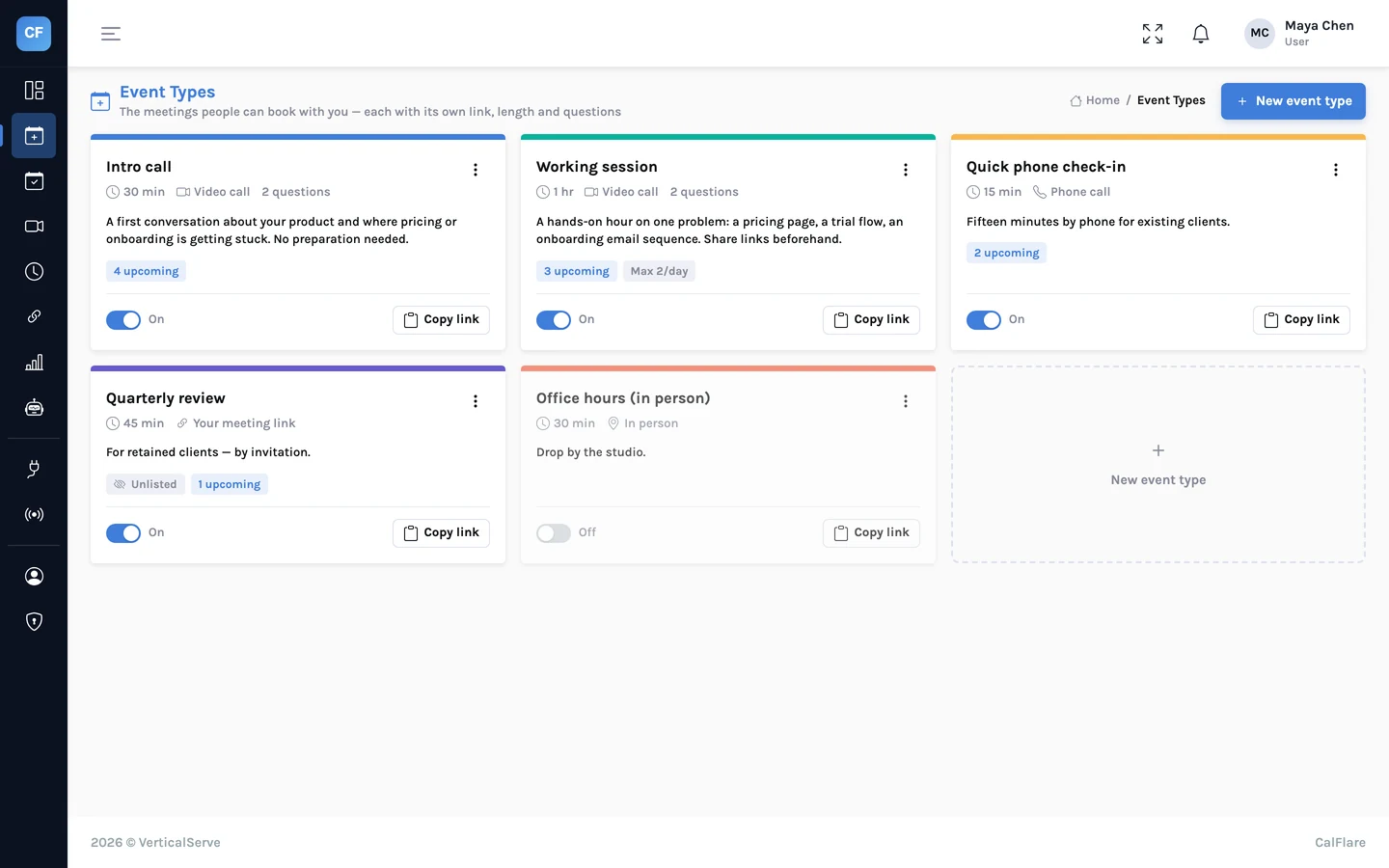
A link for each kind of meeting, with its own length, place and limits.
Read more →Availability
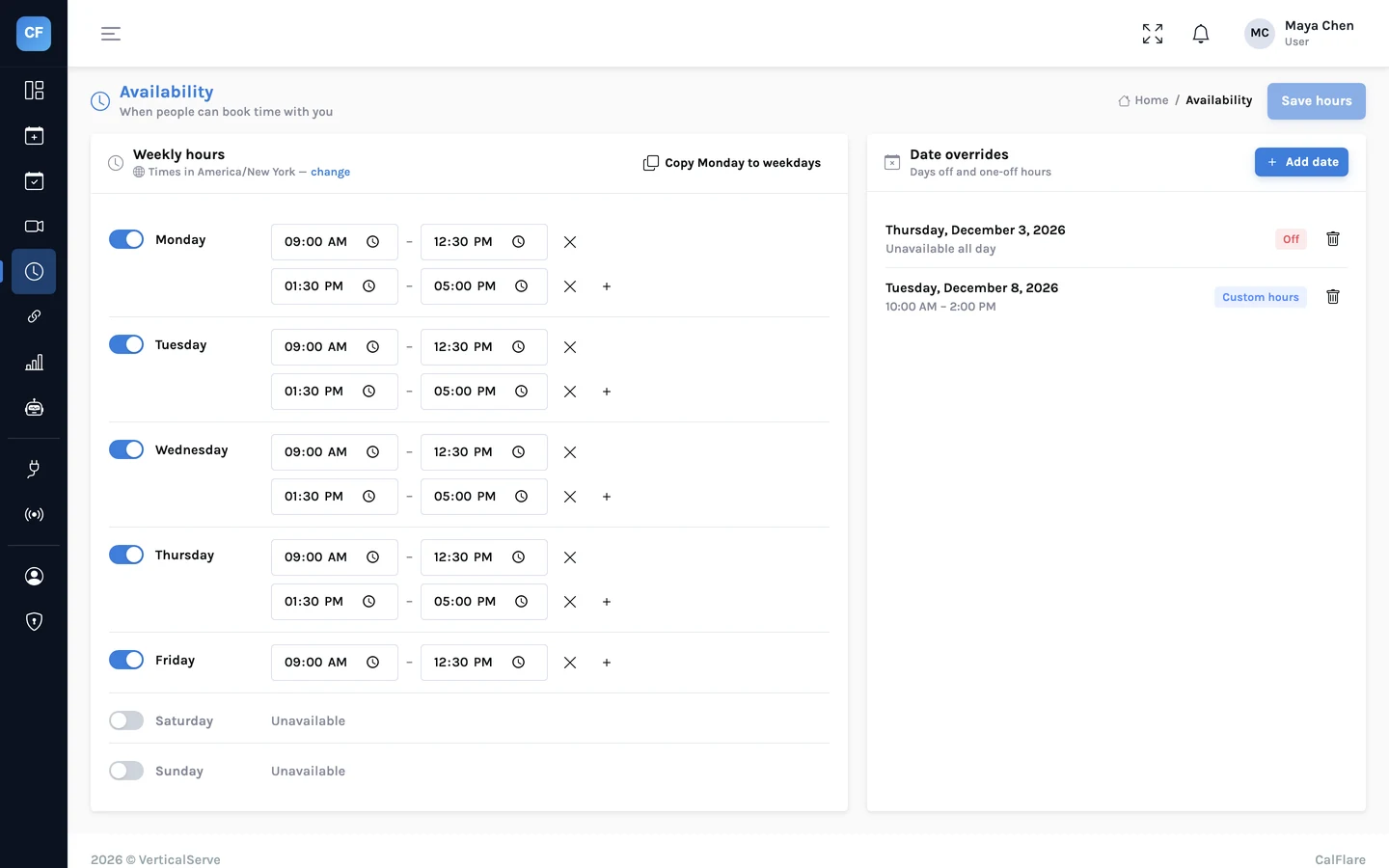
Weekly hours, date overrides and time zones.
Read more →Booking page
One link where invitees pick a time, no account needed.
Read more →Reschedule and reminders
Manage links, cancellations, reminder emails, calendar files.
Read more →AI assistant
Manage your schedule, or book a time, in plain language.
Read more →Calendars, embed, webhooks
Google and Microsoft calendars, your website, your own systems.
Read more →Analytics
Bookings, rates, busiest hours and CSV export.
Read more →Security
Bot checks, rate limits, signed webhooks and narrow calendar access, described plainly.
Read more →How it compares
What CalFlare does, and what it does not do yet, next to typical scheduling tools.
Read more →A link for each kind of meeting
An intro call is not a working session. Give each its own length, place, questions and limits, and send the link that fits.
- From 5 minutes to 8 hours
- Google Meet or Microsoft Teams link created for you, or phone, in person, or your own meeting link
- Hidden event types that only people with the direct link can book
Open when you say so, and only then
Set weekly hours with several ranges a day. Take a day off, or change the hours for one date. Add buffers, a minimum notice and a daily limit so a shared link never fills your week.
- Busy time from all connected calendars is removed
- Invitees see times in their own time zone
- Daylight saving changes are handled for both sides
Plans change. The invitee can fix it without writing to you.
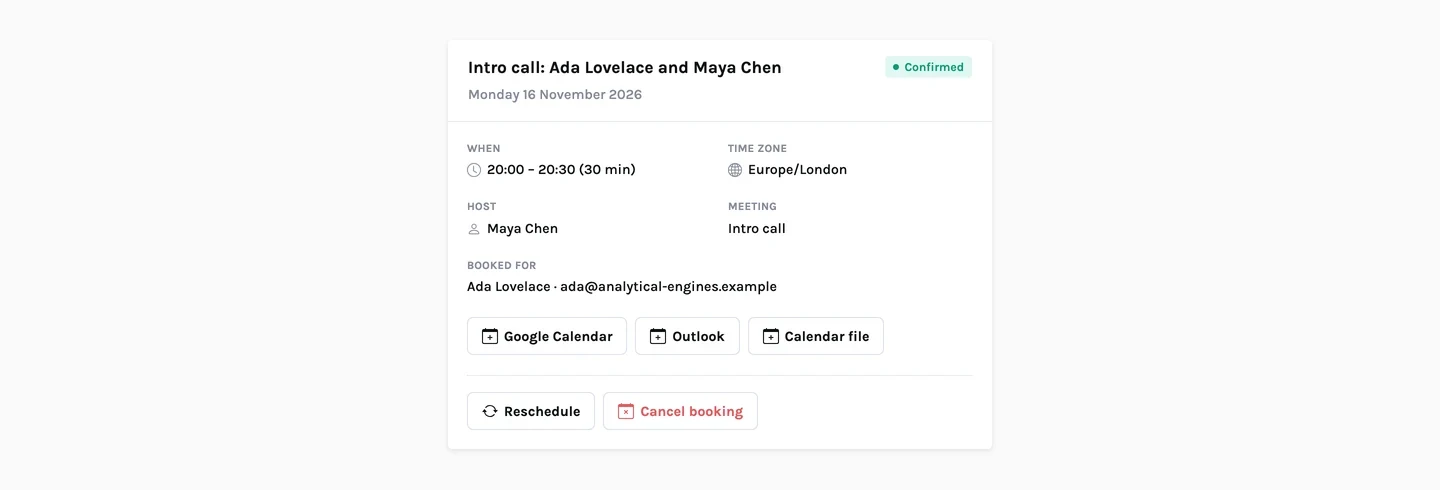
Every confirmation email carries a private manage link. The invitee can move the meeting to another open time or cancel it, with no account and no thread of replies.
- Reminder emails about 24 hours and 1 hour before
- A calendar file on every email, plus "Add to Google Calendar" and "Outlook" links
- You can cancel with a reason, reschedule or mark a no-show from the console
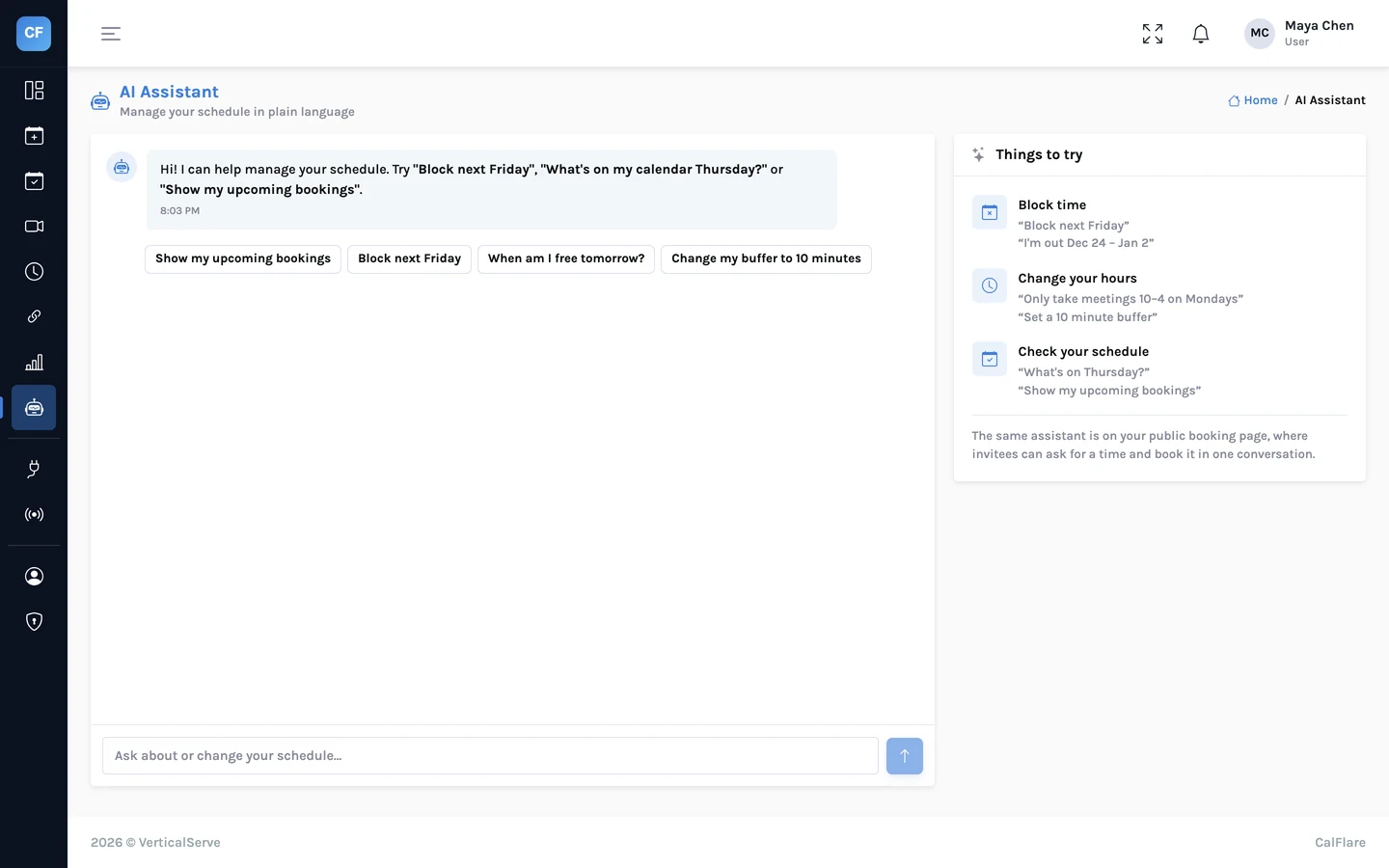
Say it in plain language
Tell the assistant "block Friday afternoon" or ask "what's on next week". Invitees can chat on your booking page to find a time if they prefer that to a calendar.
- It can only offer and book times that are open
- The same server-side checks as the booking form
- Daily usage caps
The parts you should not have to think about
A booking link is public. These are the things CalFlare does so that being public is safe.
No double-booking
The slot is checked against your calendar again at the moment of confirming, and two people confirming at once are handled one after the other. How it works
Protected from bots
Booking confirmations pass a Cloudflare Turnstile check, and sign-in, sign-up, booking and slot lookups are rate-limited per address. Security details
Narrow calendar access
CalFlare reads busy times and events, and creates the events people book. That is all it uses your calendar connection for.
Practical guides, with worked examples
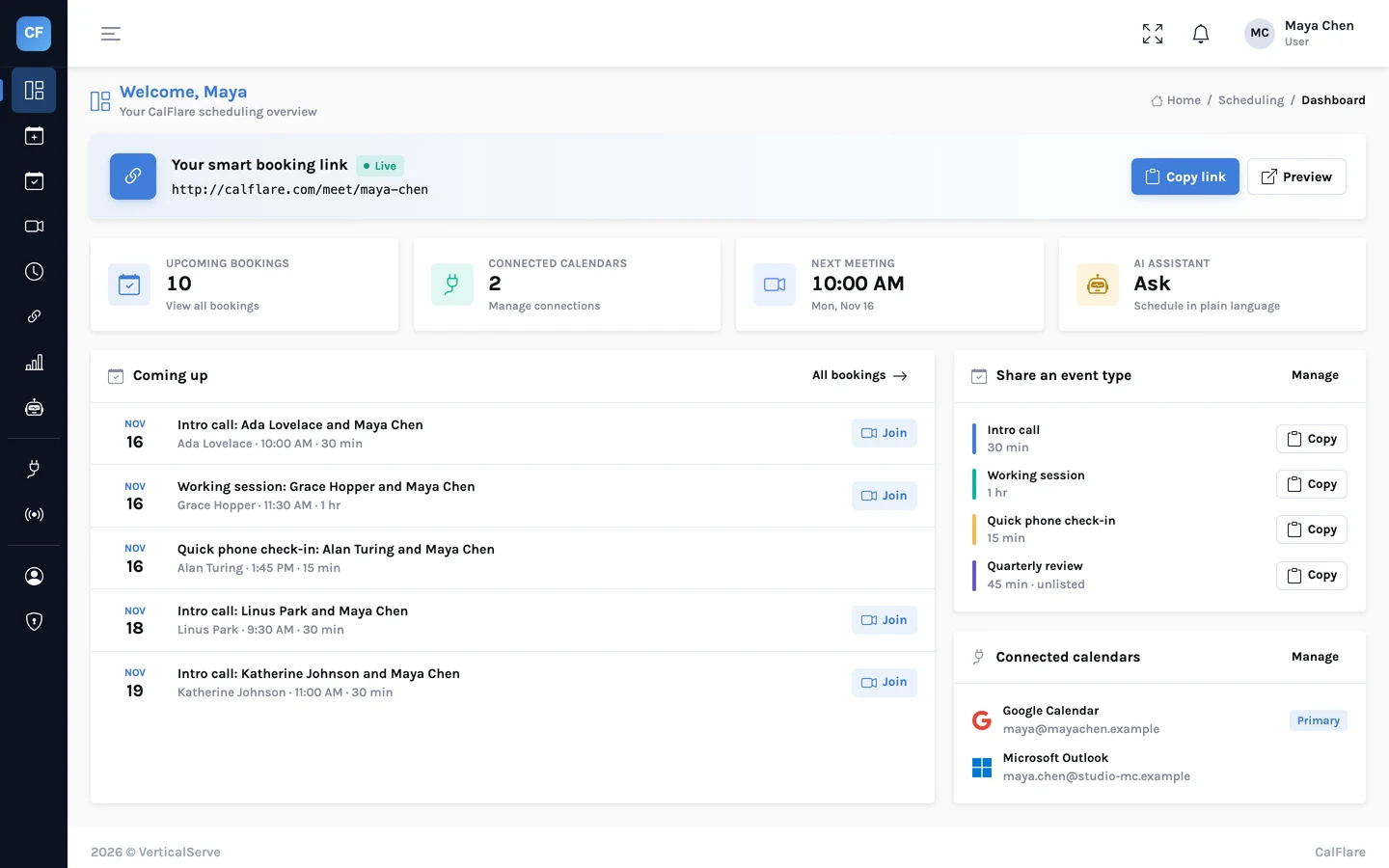
Introducing the new CalFlare: event types, rescheduling, reminders and more
CalFlare has been rebuilt. Here is what is new: a link for each kind of meeting, reschedule and cancel links for invitees, reminder emails, an AI assistant, embeds, webhooks and analytics. And what is not there yet.
Let the assistant handle the back-and-forth
CalFlare's AI assistant lets hosts manage their schedule by typing a sentence, and lets invitees find a time by chatting. What it can do, what it cannot, and the guardrails that keep it honest.
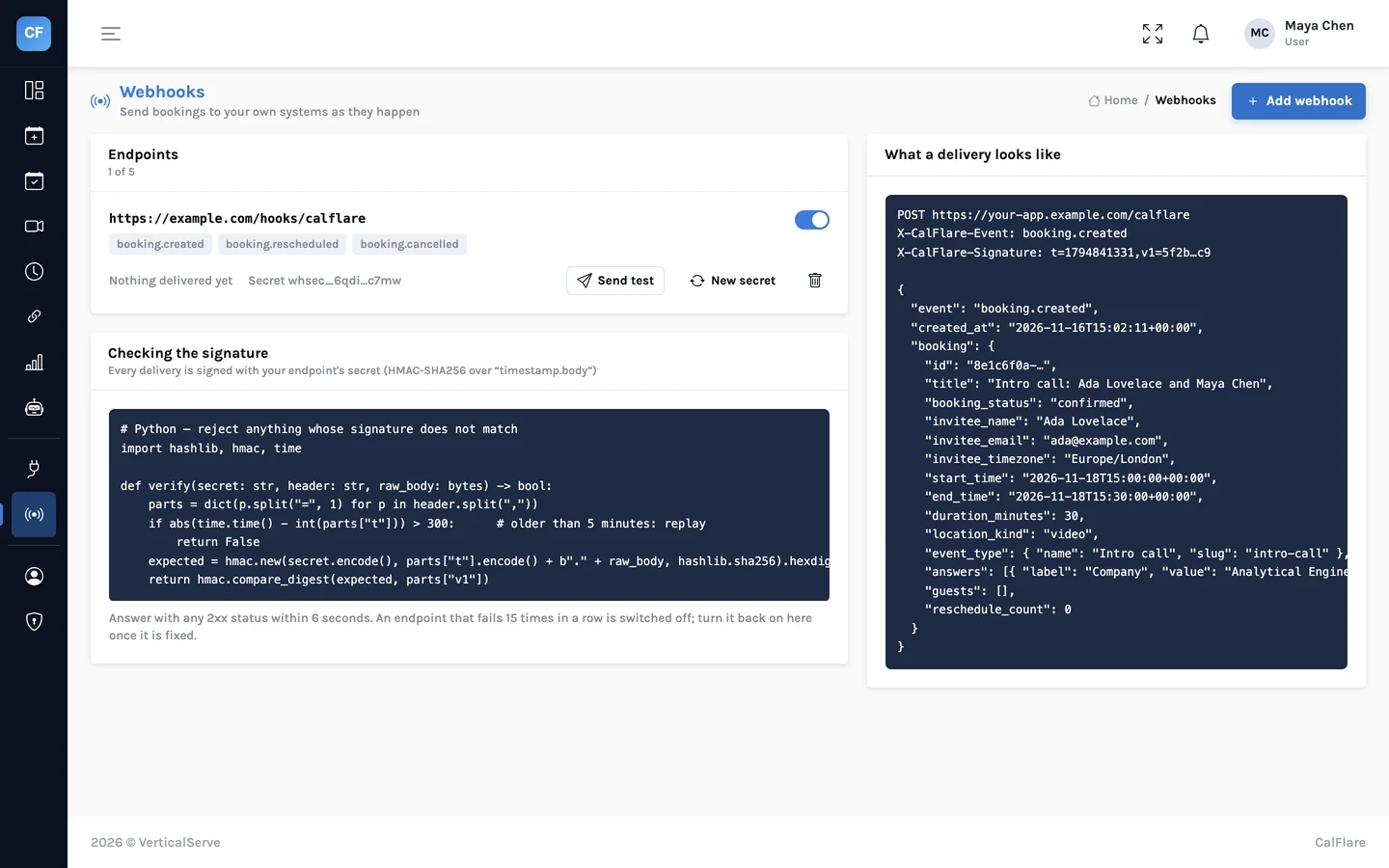
Webhooks: send bookings to your CRM, Slack or a spreadsheet
CalFlare can call your own HTTPS endpoint when a booking is created, rescheduled or cancelled. The payload, how to verify the signature in Python and Node, and what to build on the receiving end.
Share one link. Let people pick a time.
Connect a calendar, set your hours, and send your booking link. CalFlare is free to get started.